Android
- Install: APK download from maxispinplay.com
- Recommended: Android 9.0 or later for best performance
- Storage: approximately 85 MB for the app; 2-4 GB recommended for cached game content
App at Maxispin in Australia: System Requirements
The full Maxispin casino in your pocket: 6,000+ pokies, live dealer tables, PayID deposits, and AUD banking. Open the site in your browser or install the Android APK for one-tap access.
Keeping Your Mobile Account Safe
What You Should Do
What You Should Avoid
How to Get Started on Mobile
Device Compatibility
Android
iOS
Maxispin App: Strengths and Trade-Offs
Pros
Cons
Maxispin in Your Pocket
The full Maxispin casino in your pocket: 6,000+ pokies, live dealer tables, PayID deposits, and AUD banking. Open the site in your browser or install the Android APK for one-tap access.
Get the App Play responsibly. Must be 18+ to participate. Bonus offers are subject to terms and conditions.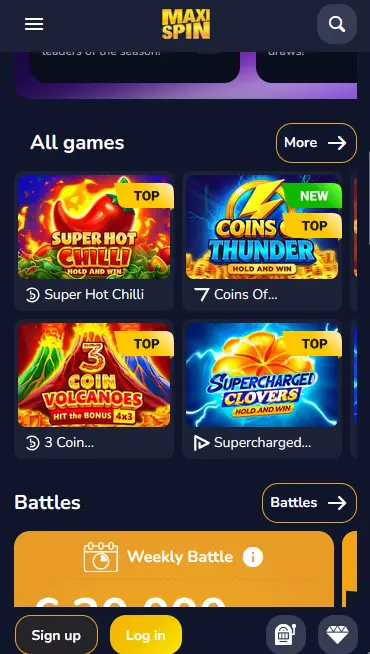
What the Maxispin App Delivers
Full Catalogue on Mobile
Over 6,000 games from Pragmatic Play, Evolution Gaming, BGaming, and 160+ other studios load cleanly on any modern smartphone screen.
Instant PayID Deposits
Fund your account via PayID directly from the app cashier. Deposits are credited in seconds with no currency conversion since the account runs in AUD.
Biometric Login
Face ID and fingerprint authentication are supported on compatible iOS and Android devices, making return logins faster without compromising account security.
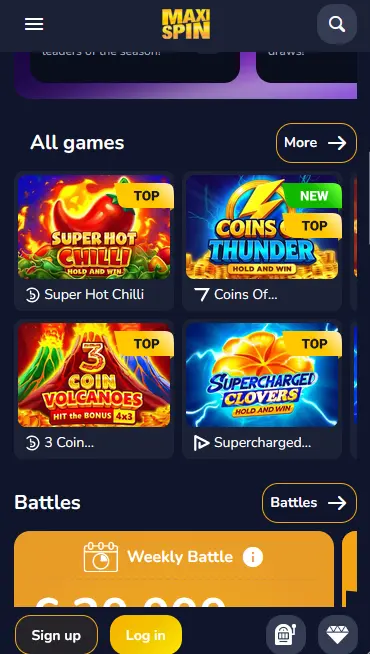
The Maxispin mobile experience gives you access to the same catalogue that appears on the desktop site, across every category.
More than 3,600 pokie titles load in the mobile browser and dedicated app, including high-volatility options such as Book of Dead by Play’n GO and Sweet Bonanza by Pragmatic Play, alongside lower-variance titles and classic three-reel formats. Megaways mechanics, bonus-buy pokies, Hold and Win respins, and free-spins bonus rounds all function identically on a touchscreen as they do with a mouse. Demo mode is available for most titles, letting you try the mechanics and volatility of a new pokie before committing real-money bets.
Evolution Gaming streams live dealer tables in HD to mobile devices 24 hours a day. Lightning Roulette, standard European Roulette, multiple blackjack variants, and baccarat all scale to smaller screens without losing the quality of the feed. Table limits cover both casual play and high-roller stakes, and Australian players can join tables at any hour rather than waiting for European business hours.
Baccarat, Blackjack VIP, European Blackjack, American Blackjack, and various poker formats are all accessible from the table games section of the mobile lobby. Filter tools let you sort by stake range or game type with a single tap.
Progressive jackpot pokies from Pragmatic Play and other studios are fully accessible on mobile. Remember that jackpot titles are excluded from bonus wagering contribution, so play these with real-money funds rather than active bonus balances.
Getting Maxispin onto your device is straightforward on both major mobile platforms, and iOS users do not need to download anything at all.
Open Chrome on your Android device and navigate to maxispinplay.com. Find the app download link on the site (usually accessible from the main menu or the app page) and tap it to begin downloading the APK file. When the download completes, open the file from your notification drawer. Android will ask you to confirm installation from this source; tap Allow. The app installs in a few seconds. Open it, tap Login, enter your registered email and password, and you are in the lobby.
Open Safari on your iPhone or iPad and navigate to maxispinplay.com. The site automatically adapts to the screen size. To create a home-screen shortcut for one-tap access, tap the Share button (the square with an upward arrow) and select Add to Home Screen. Give the shortcut a name and tap Add. The Maxispin icon will appear on your home screen like a native app. Tap it, log in, and the full casino loads in Safari with no storage required beyond the icon itself.
If you prefer not to install anything, the mobile browser version is a complete experience in itself. The site functions as a PWA-style web application: full-screen display, fast load times on 4G and Wi-Fi, and access to every game, the cashier, and live chat support. No download, no storage consumption, and no update management required.
Maxispin’s mobile interface runs on any modern smartphone or tablet. The HTML5 platform means hardware requirements are minimal, though newer devices will experience smoother animations on high-volatility pokies with elaborate bonus round graphics.
The Android APK performs best on Android 9.0 and above. Older versions may work through the mobile browser but are not officially specified as supported. The APK requires approximately 85 MB of storage on installation, with additional cached game content of 2 to 4 GB for optimal performance over repeated sessions.
The mobile browser experience on iPhone and iPad works smoothly on iOS 14 and later. Safari is the recommended browser; Chrome for iOS also works but Safari provides better push-notification support for the home-screen shortcut. No native iOS app download is required.
| Specification | Android | iOS |
|---|---|---|
| Recommended OS | Android 9.0+ | iOS 14+ |
| Installation method | APK from official site | Safari browser (no download) |
| Storage (app) | ~85 MB | None |
| Internet | 4G or Wi-Fi | 4G or Wi-Fi |
| Face ID / fingerprint | Supported on compatible devices | Supported via Face ID |
Every payment function available on the desktop site is fully accessible from the mobile cashier.
PayID deposits are instant and recommended for Australian players because funds clear immediately in AUD without passing through any currency conversion. Neosurf vouchers can be used on mobile by entering the voucher code in the cashier. Visa, Mastercard, Skrill, and major cryptocurrencies including Bitcoin and USDT are all available as both deposit and withdrawal methods, with Neosurf limited to deposits.
| Method | Deposit | Withdrawal |
|---|---|---|
| PayID / Bank Transfer | Instant | 1-3 business days |
| Visa / Mastercard | Instant | 1-3 business days |
| Skrill | Instant | Same day |
| Bitcoin / USDT | Instant | Same day |
| Neosurf | Instant | Not available |
All cashier transactions on the Maxispin mobile site and APK use the same 256-bit SSL encryption as the desktop version. Your card details and bank credentials are never stored on the app itself; they pass through secure payment gateways that hold their own certification.
The mobile version is not a stripped-down preview of the full casino; it is the same platform adapted for touch navigation.
Filters in the lobby let you browse by provider, volatility, game feature (bonus buy, free spins, Megaways), or maximum jackpot size. A search bar finds any title by name in under a second. Your bonus progress bar, transaction history, VIP tier status, and account limits are all accessible from the account icon in the top corner. Push notifications on Android (APK) alert you to Battle tournament standings and bonus credits without you needing to open the app.
The Android APK adds push notifications and biometric login that the plain mobile browser cannot provide without OS-level integration. The core game catalogue and payment functionality are identical. iOS users who add the site as a home-screen shortcut get a full-screen experience that is visually indistinguishable from a native app, while retaining the benefits of instant updates since the content is always served fresh from the server.
Account protection on mobile rests on the same framework as the desktop site, with a few mobile-specific additions.
All data moving between the Maxispin app and its servers is encrypted with 256-bit SSL. This includes login credentials, cashier transactions, and personal account data. The encryption cannot be bypassed even on public Wi-Fi, though using a trusted private connection is always preferable for financial transactions.
Two-factor authentication is available from the security settings inside your account. When enabled, a one-time code is required whenever you log in from a new device or browser. This applies on mobile exactly as it does on desktop.
On compatible Android devices (APK) and on iOS devices that support Face ID or Touch ID, biometric login is available after the first password-authenticated session. Enabling it means subsequent logins require only a glance or a fingerprint, reducing the risk of shoulder-surfing in public settings.
Every bonus available on the desktop version of Maxispin is equally accessible through the mobile browser and the Android APK.
New players who register and deposit through the mobile platform receive exactly the same 150% first-deposit bonus up to $1,600 plus 150 free spins as desktop players. The 50 no-deposit free spins on Big Bass Bonanza by Pragmatic Play also activate normally on mobile after registration. The 45x wagering requirement, the maximum bet restriction of $3 AUD per spin while bonus funds are active, and the 7-day validity period all apply regardless of whether you are playing on a phone or a computer. Full terms are on the bonus page. 18+ only.
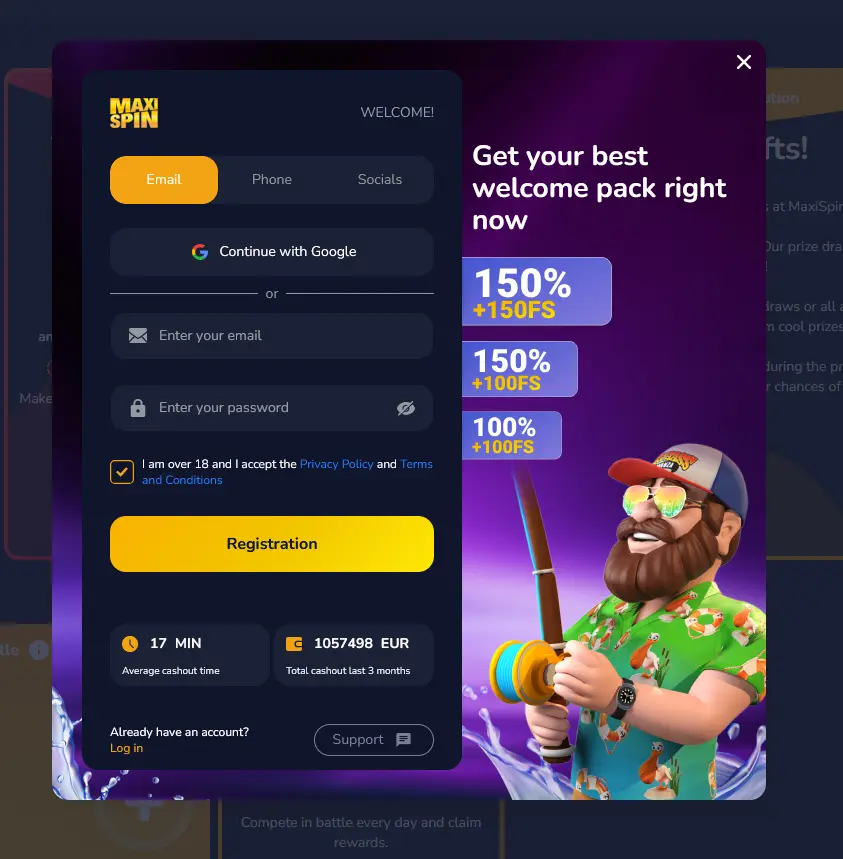
Registration is fully supported on mobile. Open maxispinplay.com in your mobile browser, tap Sign Up, and choose your preferred method: email, phone number, or social media. Complete the short form, confirm you are 18 or older, accept the terms, and your account is active immediately. One account is permitted per player.
Return players tap Login, enter their registered email and password, and are taken directly to the lobby. If two-factor authentication is enabled, a one-time code is requested after the password step. On the Android APK and on iOS devices with Face ID configured, biometric login is available for all subsequent sessions, cutting the sign-in process to a single touch or glance.
Maxispin’s full support infrastructure is available on mobile, including both contact channels and the responsible gaming tools that sit inside your account.
Live chat is embedded in the Maxispin mobile interface and connects you with a support agent around the clock. It is the fastest channel for payment queries, bonus questions, and technical issues. Email support is available at [email protected] for more detailed requests such as KYC document submissions or payment tracing that benefit from a written record.
The responsible gaming section of your account is accessible from the mobile menu at any time. From there you can set daily, weekly, or monthly deposit limits, activate a cool-off period, or initiate a self-exclusion without needing to contact support. The National Gambling Helpline is available at 1800 858 858. Play is strictly 18+.
App Questions from Australian Players
A dedicated iOS native app may be available in some regions via the App Store. For Australian users, the most reliable option is the mobile browser in Safari, where the full site including all pokies and Evolution Gaming live tables loads without any installation.
Yes. The Android APK is distributed directly from maxispinplay.com, not from Google Play. Download the file in Chrome, allow installation from the source, and the app installs like any standard application.
Yes. All bonuses including the 150% first-deposit bonus up to $1,600 and the 50 no-deposit free spins on Big Bass Bonanza are available on mobile. The welcome package activates automatically; no promo code is needed. Full terms are on [the bonus page](/bonus/).
Clear your browser cache (or the app cache if using the Android APK), check that your internet connection is stable, and make sure your operating system is up to date. If the issue continues, contact 24/7 live chat via [email protected].
Play Maxispin on Mobile
Grab 150% up to A$1,600 and 150 free spins.
Enter the Casino Play responsibly. Must be 18+ to participate. Bonus offers are subject to terms and conditions.